
Cloud Computing Explained: AWS vs Azure vs Google Cloud – A Complete Guide
Cloud computing has transformed the way businesses, developers, and individuals use technology. Instead of purchasing expensive servers and maintaining complex infrastructure, organizations can now rent computing resources over the internet whenever they need them.
Whether you’re launching a website, training artificial intelligence models, storing millions of files, or running enterprise software, cloud computing provides the flexibility to scale resources in minutes rather than weeks.
In this guide, we’ll explore what cloud computing is, how it works, compare Amazon Web Services (AWS), Microsoft Azure, and Google Cloud Platform (GCP), discuss pricing models, security, advantages, challenges, and help you decide which platform fits your needs.

What Is Cloud Computing?
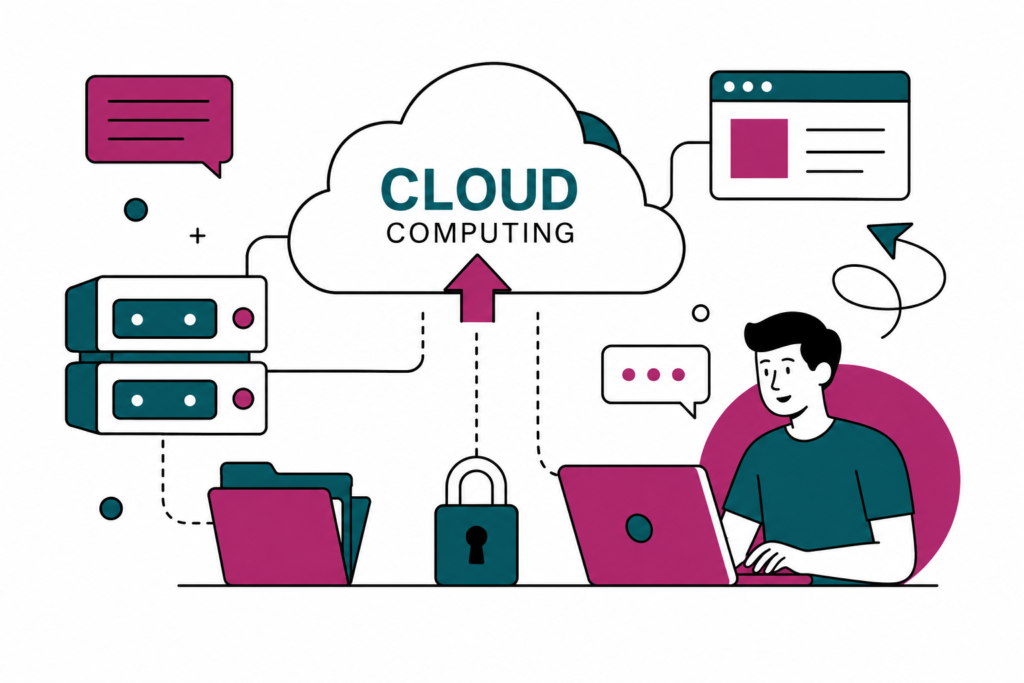
Cloud computing is the delivery of computing services—including servers, storage, networking, databases, software, analytics, and artificial intelligence—through the internet.
Instead of buying physical hardware, users access virtual resources hosted in professionally managed data centers around the world.
For example, instead of purchasing a server for your website, you can launch a virtual server in the cloud and only pay for the resources you actually use.
This model eliminates significant upfront costs while making modern technology accessible to businesses of every size.
How Does Cloud Computing Work?
Cloud providers operate massive global networks of data centers filled with high-performance servers.
When you request a cloud service:
- Your application sends a request.
- The provider allocates virtual computing resources.
- Data is processed securely.
- Results are delivered through the internet.
Behind the scenes, virtualization technology allows multiple customers to share physical hardware while remaining completely isolated from one another.
This approach maximizes efficiency, reduces costs, and improves reliability.
Types of Cloud Computing
Public Cloud
Resources are owned and operated by cloud providers and shared securely among customers.
Examples include AWS, Azure, and Google Cloud.
Best for:
- Startups
- Websites
- Mobile apps
- SaaS companies
Private Cloud
Infrastructure is dedicated to a single organization.
Suitable for industries with strict compliance requirements such as banking, healthcare, and government.
Hybrid Cloud
A hybrid cloud combines on-premises infrastructure with public cloud services.
Businesses often keep sensitive information locally while moving less critical workloads to the cloud.
Multi-Cloud
Organizations use multiple cloud providers simultaneously.
For example:
- AWS for storage
- Azure for enterprise applications
- Google Cloud for AI and machine learning
This strategy improves redundancy and reduces dependence on a single provider.

Major Cloud Service Models
Infrastructure as a Service (IaaS)
Provides virtual servers, networking, and storage.
Examples:
- Virtual Machines
- Cloud Storage
- Virtual Networks
Ideal for developers who need complete control.
Platform as a Service (PaaS)
Offers a complete development environment.
Developers focus on writing code while the provider manages servers and operating systems.
Suitable for:
- Web applications
- APIs
- Mobile applications
Software as a Service (SaaS)
Software is delivered through the web.
Examples include email platforms, productivity suites, customer relationship management tools, and project management software.
Users simply sign in and begin working.
Amazon Web Services (AWS)
AWS is the world’s largest cloud platform, offering hundreds of cloud services across nearly every computing category.
Popular AWS services include:
- EC2 (Virtual Servers)
- S3 (Object Storage)
- Lambda (Serverless Computing)
- RDS (Managed Databases)
- CloudFront (Content Delivery)
- IAM (Identity Management)
Advantages
- Extensive service catalog
- Large global infrastructure
- Strong developer ecosystem
- Mature documentation
- Suitable for startups and enterprises
Challenges
- Learning curve for beginners
- Complex pricing options
Microsoft Azure
Azure integrates closely with Microsoft’s ecosystem.
Organizations already using Windows Server, Microsoft 365, Active Directory, or SQL Server often find Azure a natural extension of their existing infrastructure.
Popular Azure services include:
- Azure Virtual Machines
- Azure Storage
- Azure Kubernetes Service
- Azure SQL Database
- Azure Functions
Advantages
- Excellent enterprise integration
- Strong hybrid cloud capabilities
- Comprehensive security features
- Seamless Microsoft ecosystem support
Challenges
- Interface may feel overwhelming to new users
- Service naming conventions can be confusing
Google Cloud Platform (GCP)
Google Cloud Platform is recognized for its strengths in data analytics, artificial intelligence, and container technologies.
Many organizations choose GCP for machine learning projects and modern cloud-native applications.
Popular services include:
- Compute Engine
- Cloud Storage
- BigQuery
- Cloud Run
- Vertex AI
- Google Kubernetes Engine (GKE)
Advantages
- Powerful AI and machine learning tools
- Excellent analytics capabilities
- Competitive networking performance
- Strong Kubernetes support
Challenges
- Smaller market share than AWS and Azure
- Fewer enterprise integrations compared to Azure
AWS vs Azure vs Google Cloud
| Feature | AWS | Azure | Google Cloud |
|---|---|---|---|
| Largest Market Share | ✔ | Moderate | Growing |
| Best for Startups | ✔ | Good | Good |
| Enterprise Integration | Good | Excellent | Good |
| AI & Machine Learning | Excellent | Excellent | Excellent |
| Kubernetes | Excellent | Very Good | Outstanding |
| Hybrid Cloud | Good | Excellent | Good |
| Beginner Friendly | Moderate | Moderate | Good |
Each platform has strengths, and many organizations use more than one cloud provider depending on their requirements.
Benefits of Cloud Computing
Scalability
Resources can be increased or decreased within minutes.
This allows businesses to handle traffic spikes without purchasing additional hardware.
Cost Efficiency
Organizations only pay for the resources they consume.
This pay-as-you-go model reduces capital investment and helps manage operating expenses more effectively.
Global Availability
Applications can be deployed in multiple regions around the world, helping reduce latency for users.
Automatic Updates
Cloud providers maintain and update the underlying infrastructure, allowing teams to focus on building applications instead of managing hardware.
High Reliability
Cloud platforms replicate data across multiple locations, improving availability and minimizing downtime.
Cloud Security
Security is a shared responsibility.
Cloud providers secure the infrastructure, while customers are responsible for securing their applications, user accounts, and data.
Best practices include:
- Multi-factor authentication
- Strong identity management
- Data encryption
- Regular backups
- Access control policies
- Security monitoring
- Routine software updates
Common Uses of Cloud Computing
Cloud computing supports a wide range of workloads, including:
- Website hosting
- Mobile applications
- Streaming platforms
- Artificial intelligence
- Machine learning
- Data analytics
- Gaming services
- Video conferencing
- Software development
- Disaster recovery
- Database hosting
- Internet of Things (IoT)
How Businesses Choose a Cloud Platform
Selecting a cloud provider depends on several factors:
- Existing technology stack
- Budget
- Compliance requirements
- Geographic coverage
- Required services
- Technical expertise
- Long-term scalability
There is no universal choice—many successful organizations combine services from multiple providers to meet different business needs.
Frequently Asked Questions
Is cloud computing safe?
Yes. Leading cloud providers invest heavily in physical security, network protection, encryption, and continuous monitoring. Customers should also follow recommended security practices to protect their own applications and data.
Which cloud platform is best for beginners?
Google Cloud and AWS offer extensive learning resources, while Azure is often preferred by organizations already using Microsoft products. The best choice depends on your goals and existing experience.
Can small businesses use cloud computing?
Absolutely. Small businesses can start with modest resources and expand as their needs grow, avoiding the cost of purchasing and maintaining physical servers.
Do I need programming knowledge?
Not always. Many cloud services include graphical interfaces that allow users to deploy websites, databases, and storage without writing code, although programming skills become valuable for more advanced projects.
Final Thoughts
Cloud computing has become a foundational technology for modern organizations. By providing scalable infrastructure, flexible pricing, and access to advanced services such as artificial intelligence and data analytics, it enables businesses of all sizes to innovate more quickly.
AWS, Microsoft Azure, and Google Cloud each offer comprehensive platforms with unique strengths. Understanding your technical requirements, budget, and long-term goals will help you choose the right solution—or combine multiple providers to build a resilient, future-ready environment.
As cloud technologies continue to evolve, developing a solid understanding of these platforms will remain an important skill for developers, IT professionals, and business leaders alike.